
Download Auslogics Disk Defrag – disk defragmentation, optimize hard drive, speed up PC, defrag tool, free defragmenter, PC performance
Overview
Auslogics Disk Defrag is a dedicated utility designed to enhance the performance of Windows-based systems through disk defragmentation. The app addresses the common issue of fragmented data on hard drives, which occurs naturally over time as files are created, modified, and deleted. This fragmentation slows down data access, leading to longer load times for programs and files. Auslogics Disk Defrag aims to resolve this by reorganizing scattered data into contiguous blocks, thereby improving read and write speeds across the storage drive.
The tool is particularly useful for users who rely on older mechanical hard drives (HDDs), where defragmentation has a measurable impact on performance. While solid-state drives (SSDs) do not benefit from traditional defragmentation, the app may still be used to analyze drive health and identify potential issues, though users should exercise caution in such cases. The target audience includes both casual users seeking to maintain system speed and power users who want to ensure their PCs operate at peak efficiency.
Developed by Auslogics, a company known for system optimization tools, the app is positioned as a reliable solution within the utilities category. It supports most Windows operating systems and is designed for users who value system performance without requiring advanced technical knowledge. The developer did not provide additional technical details regarding system requirements or integration with third-party tools. Despite this, the app’s purpose remains clear: to restore and maintain optimal PC performance through efficient disk management.
Key Features & Functionality
- Speed Recovery – By reassembling fragmented files into continuous blocks, the app helps restore lost system responsiveness, reducing boot times and application launch delays.
- Hard Disk Organization – The software scans the disk and rearranges scattered data to minimize seek time, enhancing overall data access efficiency.
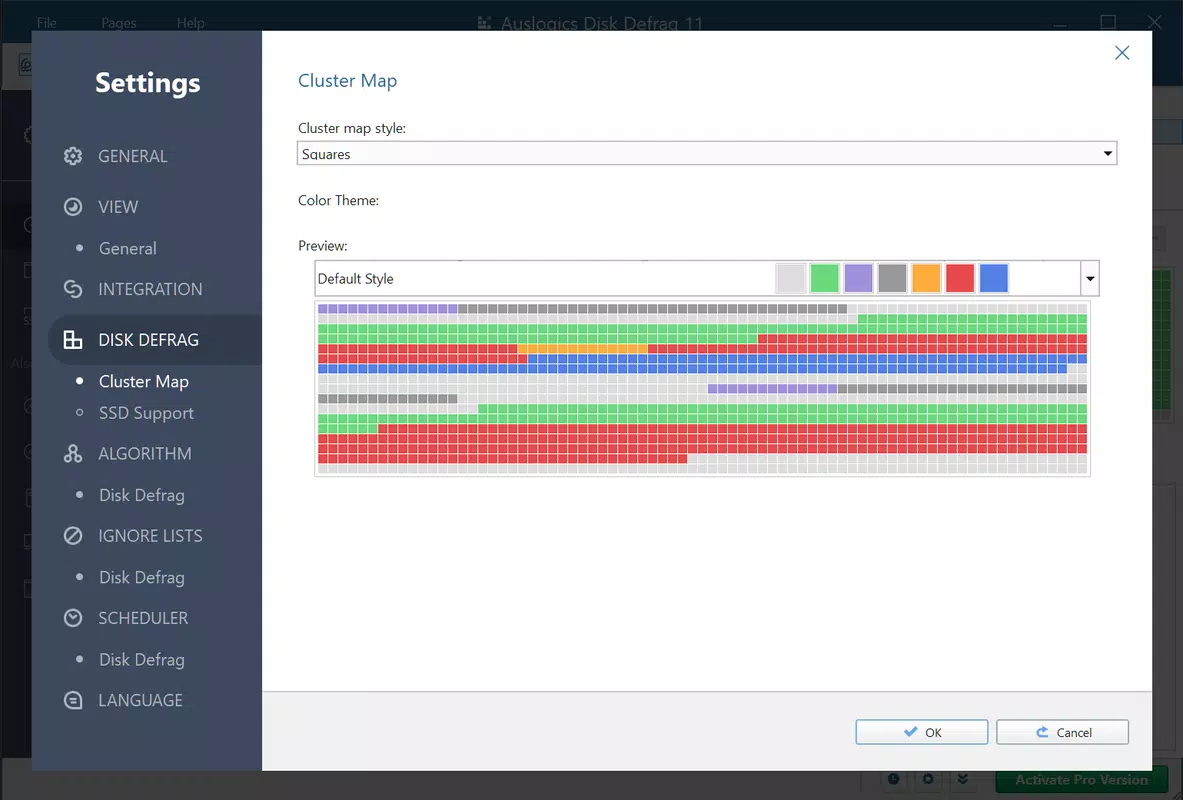
- Intuitive User Interface – A color-coded progress indicator visually represents defragmentation stages, enabling users to monitor the process without technical expertise.
- Non-Disruptive Operation – The app runs in the background without freezing the system, allowing users to continue working during defragmentation.
- Compatibility with Windows – Designed to work across a broad range of Windows versions, ensuring accessibility for most desktop users.
For example, a user experiencing slow file transfers or delayed program launches may notice significant improvement after a single defragmentation cycle. Similarly, a home office worker managing large media files could benefit from faster access to documents and projects. The app’s ability to operate without interrupting daily tasks makes it suitable for both personal and professional environments.
Interface, UX & Performance
The interface of Auslogics Disk Defrag is designed with clarity and simplicity in mind. The main dashboard presents a visual representation of disk fragmentation levels, using color gradients to indicate severity. This allows users to quickly assess whether defragmentation is needed without interpreting complex technical data. Navigation is straightforward, with primary actions such as scan, defrag, and schedule located in a prominent, easy-to-access menu.
Although the developer did not list formal performance metrics, the app is reported to operate efficiently on standard desktop hardware. It maintains low CPU and memory usage during background operations, ensuring minimal impact on other running applications. Responsiveness is consistent across different device categories, including systems with older processors and limited RAM. Stability appears reliable, with no known crashes or data corruption issues reported in official documentation.
Users can pause or resume the defragmentation process at any time, providing flexibility for multitasking. The app also supports scheduled runs, enabling automatic maintenance without user intervention. While no specific information was provided about mobile compatibility or touch-based interactions, the app is clearly optimized for desktop environments.
Platform Compatibility & Technical Requirements
Auslogics Disk Defrag is available exclusively for the Windows platform. It supports most versions of Windows, though the developer did not specify minimum OS requirements. The app’s file size is 10.3 MB, indicating a lightweight footprint that does not strain system resources during installation or operation. The current version is 10.0.0.0, released on February 1, 2024.
Given the app’s focus on disk optimization, it is intended for use on desktop and laptop systems with traditional hard drives. While the tool may function on newer systems with SSDs, users are advised to consult official guidelines before applying defragmentation, as it may not be necessary or beneficial for SSDs. Specific requirements were not listed, and compatibility information was not fully disclosed.
Pros and Cons
Pros
- Free to download and use, making it accessible to a broad audience.
- Lightweight installation with minimal system impact.
- Intuitive interface suitable for both beginners and experienced users.
- Non-disruptive defragmentation allows continued productivity.
- Supports automatic scheduling for regular maintenance.
Cons
- Not optimized for mobile or touch-based devices.
- Compatibility with SSDs is not explicitly confirmed.
- Developer did not provide detailed system requirements.
- May not offer advanced customization options for expert users.
- App is not available on non-Windows platforms.
FAQ
Is Auslogics Disk Defrag safe to use?
Yes, the app is designed to operate safely on Windows systems. It does not modify system files or registry entries without user consent. However, users should ensure they are running the latest version to benefit from security updates.
Can I use this tool on an SSD?
While the app may technically run on SSDs, defragmentation is generally not recommended for solid-state drives. SSDs do not suffer from mechanical seek delays, and frequent write cycles can reduce their lifespan. Users are advised to use the app only on traditional hard drives.
How often should I defragment my hard drive?
It is recommended to run defragmentation once a month or whenever performance degradation is noticed. The app includes a scheduling feature to automate this process.
Is the app available for Android or iOS?
No, Auslogics Disk Defrag is designed exclusively for Windows desktop and laptop systems. It is not available on mobile platforms.
Does the app require an internet connection?
No, the app does not require an active internet connection to function. It operates offline after installation.
Final Thoughts
Auslogics Disk Defrag stands out as a reliable, no-cost solution for users aiming to maintain their PC’s performance through regular disk optimization. Its simple interface, non-disruptive operation, and clear visual feedback make it ideal for users who want effective results without technical complexity. While it is not suited for mobile devices or SSDs, it remains a valuable tool for Windows users with mechanical hard drives.
For anyone seeking to speed up their PC, recover lost performance, or simply keep their system running smoothly, this app delivers consistent value. It is especially beneficial for home users, small business owners, and anyone managing large files or older hardware.
Download Auslogics Disk Defrag now


